Rewind Your Lake with Back Cast

Extensive pre-tournament research has become a standard practice in the modern era of competitive bass fishing. National tournament organizations BASS, MLF, NPFL, and regional trails like the Alabama Bass Trail and the Texas Team Trail, all provide great coverage of fishing action from their events, populating digital platforms with tons of true real-time bass fishing information.
Whether they will admit it or not, some pros spend hours brushing up on lakes with this content before events. “Studying film” of previous tournaments of a lake that’s coming up on the schedule can turn up some nuggets, which can pay off handsomely in the check line.
Archived tournament results, articles, and videos are great resources, but sometimes they lead to more detailed questions about the daily conditions of the event: What was the exact lake level? How much did the water come up on the third day? How much current was being pulled on the first day? How windy was it? What direction was the wind blowing on the second day? Was it sunny all day? How much cloud cover happened? How low did the temperature drop before the last day?
Wouldn’t it be nice to know all these details, down to the hour, for the lakes you are researching?
What is Back Cast?
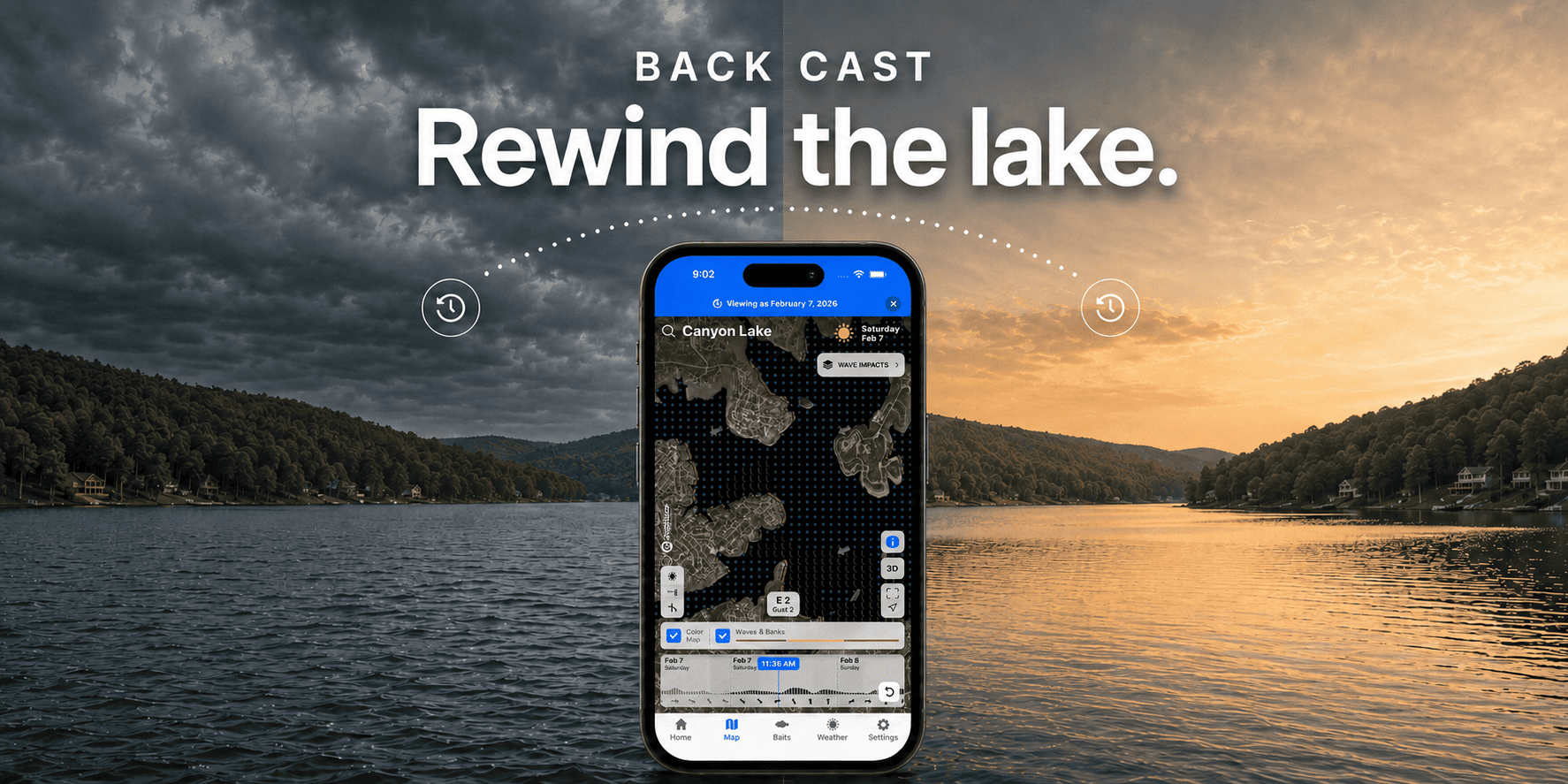
Many of these questions can be answered with one of Deep Dive’s most overlooked functions, which is quickly becoming one of the app’s sneakiest tools: Back Cast.
The Back Cast function gives the user the power to go back in time (up to three years) and look at a particular lake’s conditions on an exact date. It’s like a time capsule of conditions for lakes all across the country.
Back Cast restores the lake map and available historical conditions for the date you select, allowing you to see how the lake looked that day instead of relying on memory. You can revisit a great fishing trip, study a difficult one, or identify when a key pattern first appeared.
How to Rewind Your Lake
Using the Back Cast feature is easy. Simply go to the settings menu, click on Back Cast, and a calendar will pop up at the bottom of the screen. Pick the date you want to go back to. Then go back to the top of the screen and type in the lake you want to examine for that date. The home screen for that lake will come up, allowing you to access all the Deep Dive features for that lake on that particular date, from Lake Level and the Outflow History to the Wave Impacts, weather, and other conditions.
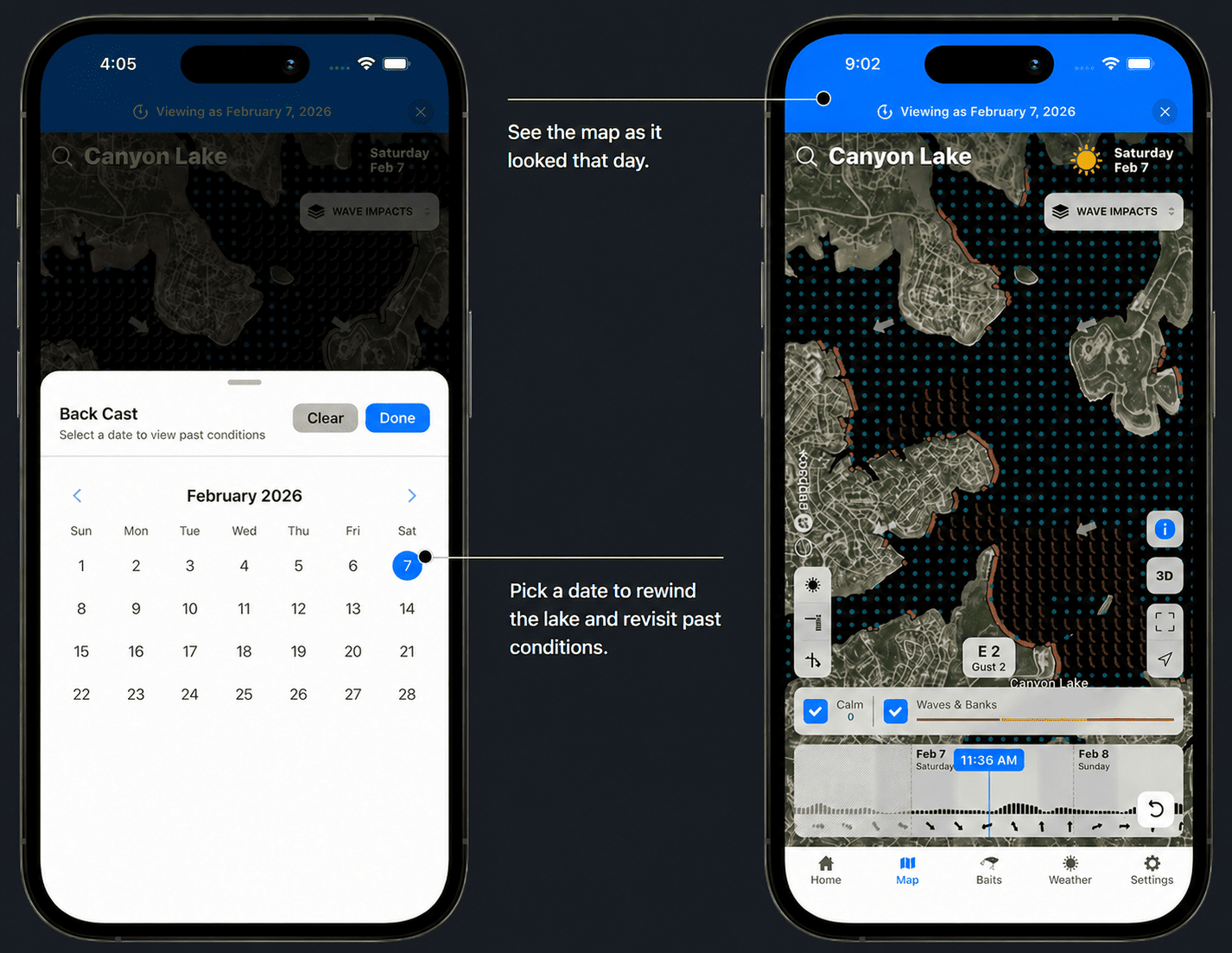
Some of Deep Dive’s more recent tools, such as Generation Releases and Recent Satellites, will not be available from two or three years back because those features were not in place at that time. But as time goes on, those conditions will be recorded and will be available in the future. This tool may be overlooked now, but as more and more conditions get stamped into the app’s history, it’s going to grow in popularity.
Study Past Trips & Conditions
The most obvious use for Back Cast is in conjunction with reviewing archived coverage. If you have a tournament coming up on Wheeler Lake and you have located archived footage of previous tournaments on Wheeler from about the same time of year, then keep the Back Cast handy to look up any condition details as you study the film.
Back Cast can also be useful during practice or competition to look up conditions from a couple weeks before the event. How much has the water come up over the last two weeks? What is the highest point the water reached in the last month? Just dial it up on Back Cast.
As Deep Dive’s daily recordings of real-time conditions on hundreds of lakes across the country continue to populate the app, the value of the Back Cast feature will grow stronger as a unique research tool. Don’t get left behind on your future tournaments; take a trip back in time with Back Cast to have a better understanding of how the daily conditions shaped the events.