Timing is Everything: Introducing Generation Release Schedules in Deep Dive
Here at Deep Dive, our mission has always been to visualize the complex data anglers need to be more successful on the water. We pull back the curtain on things like water clarity, wind effects, and lake levels to take the guesswork out of finding fish.
Today, we're thrilled to launch Version 2.15, which adds one of the most powerful and requested pieces of the puzzle for TVA and Alabama Power reservoir anglers: Generation Releases.
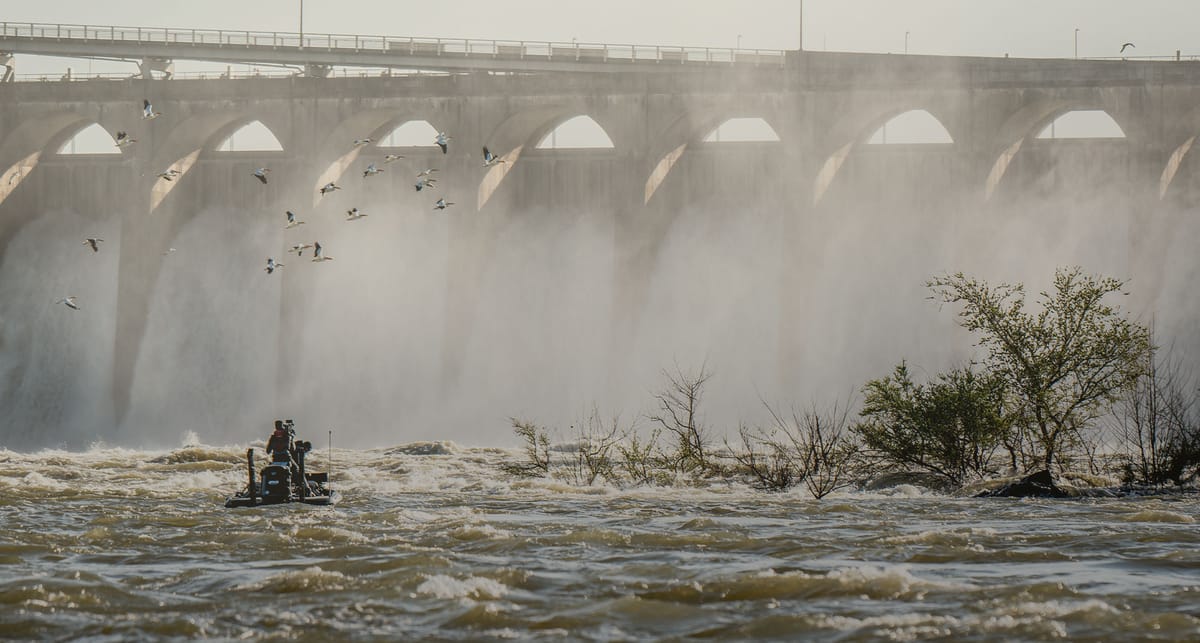
If you fish a TVA or Alabama Power lake, you know that "when they pull water" isn't just a saying—it's the single most important event of the day.
The "Dinner Bell" You Can Finally See Coming
On reservoirs with hydroelectric dams, the entire ecosystem revolves around water flow, or current. For bass and the baitfish they feed on, current is the engine that starts the food chain.
Here’s the simple breakdown:
- No Current (Generators OFF): When the water is "slack," baitfish (like shad) tend to scatter. Bass do the same. They might suspend, roam open water, or hold loosely to cover. The bite is often unpredictable and tough.
- Current (Generators ON): This is the dinner bell. As water is pulled through the dam, the current acts like a conveyor belt for plankton and microorganisms. Baitfish stack up in predictable places to feed on this easy meal.
- How Bass React: Bass are smart (and lazy) predators. They won't fight the current. Instead, they position themselves in current breaks—ambush spots like points, humps, bridge pilings, or even small rock piles. They sit just out of the main flow and wait for that conveyor belt to deliver baitfish right to them.
An area that was completely dead an hour ago can light up with feeding fish the moment the generators kick on. The challenge has always been knowing when that's going to happen.
Introducing the "Generation Releases" Feature
Until now, you had to hunt down this information on confusing, hard-to-read government websites—if you could find it at all. Not anymore.
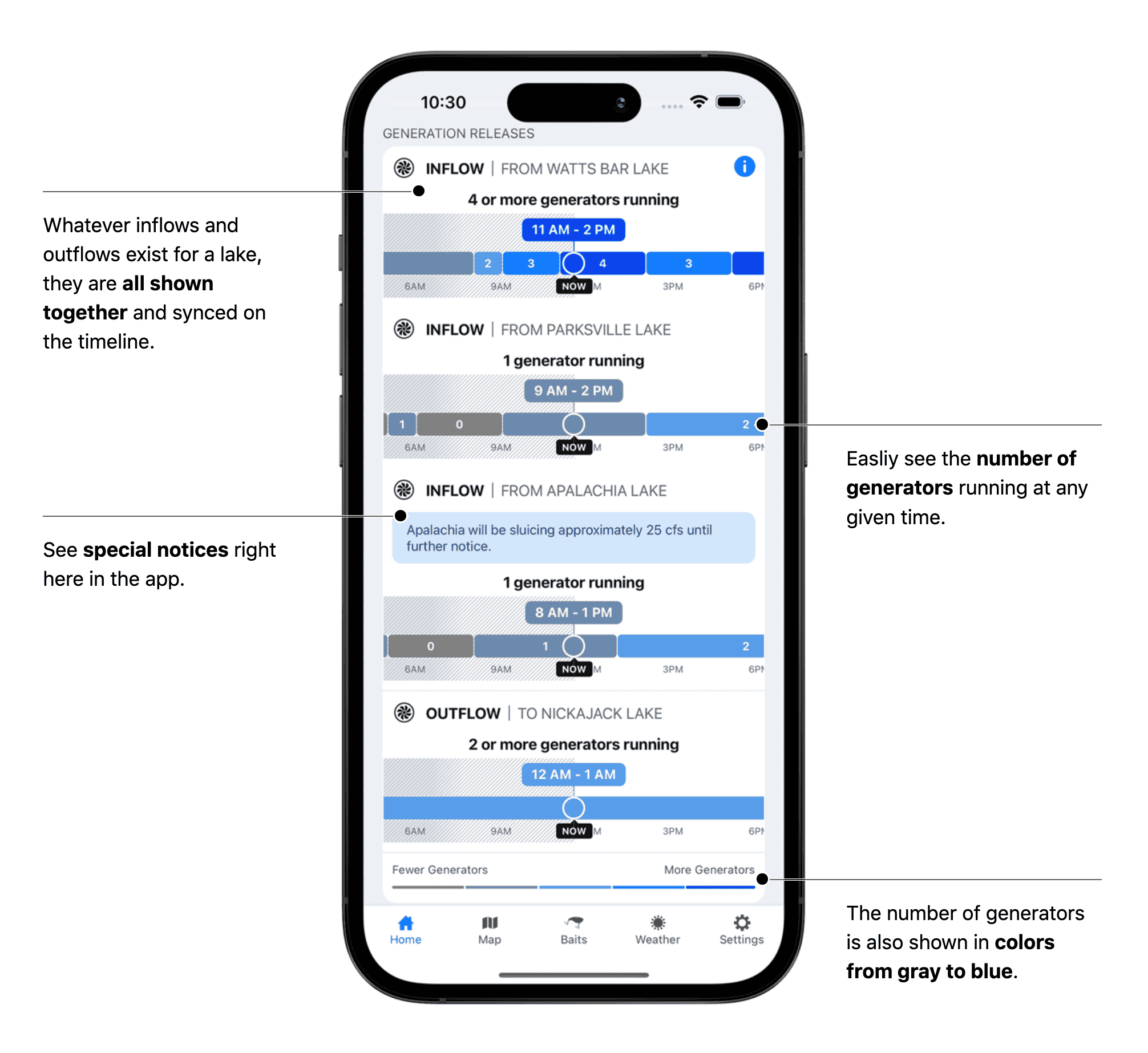
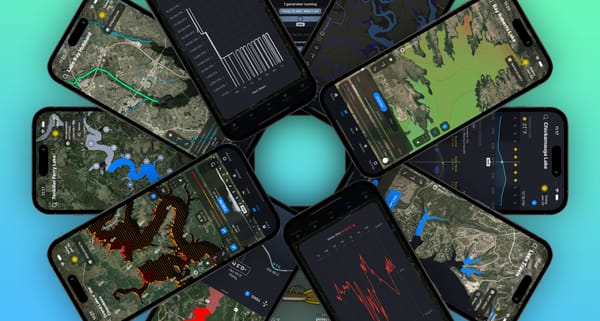
Our new Generation Releases feature, shown on the Chickamauga Lake card on the Home tab in the image above, visualizes the dam schedule.
Here's what makes it a game-changer:
- See the Full Schedule: We show you a clear, hourly timeline of how many generators are scheduled to run. You can instantly see when the flow will start, stop, or change intensity (e.g., "2 generators" vs. "4 or more").
- See What's Coming: This is the next-level part. We don't just show you the outflow from your lake (like Chickamauga's outflow to Nickajack Lake). We also show you the generation schedule from dams inflowing into your lake (like the inflow from Watts Bar Lake into Chickamauga Lake). This lets you anticipate water changes hours in advance.
- Plan Your Day: Now, you can look at the schedule and build a precise game plan. You can be at your best current-driven spot before the generators turn on, ready for that first-wave feeding frenzy. No more guessing, no more wasted time.
More Power, Right on Your Map
This update is all about efficiency. We know that when you're on the water, you're constantly cross-referencing information. What's the wind doing? What's the water level? When does the current start?
To make this faster, we've added new quick-access buttons directly to the Map tab.
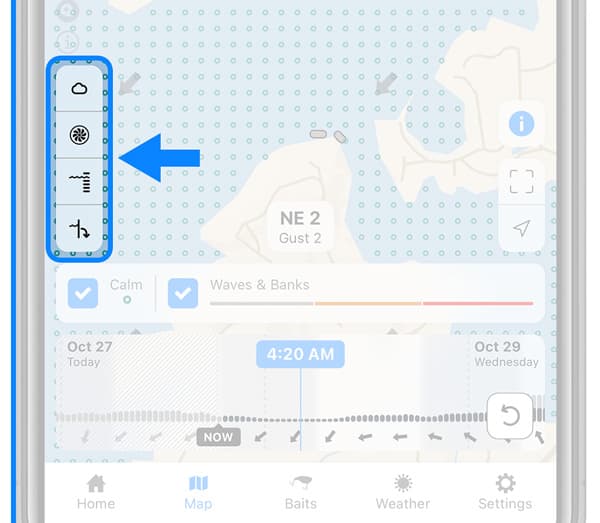
Now, without ever leaving your map layers, you can instantly pull up:
- Weather Forecast
- Generation Releases (the new schedule!)
- Lake Level
- Outflow History
This means you can be looking at our Wind Effects layer, see a wind-blown point, and with one tap, check to see exactly when the generators are scheduled to start pulling water across that same point. That's how you pinpoint the perfect "when" and "where."
At a minimum, all lakes will have the Weather Forecast button. Depending on the lake you're looking at, you could have up to all 4.
This feature is a direct result of your feedback, and we're incredibly proud to get it into your hands. Update your Deep Dive app to version 2.15 today to check out the new Generation Release schedules and the enhanced Map tab.
Stop guessing and start planning.
Tight lines,
The Deep Dive Team